
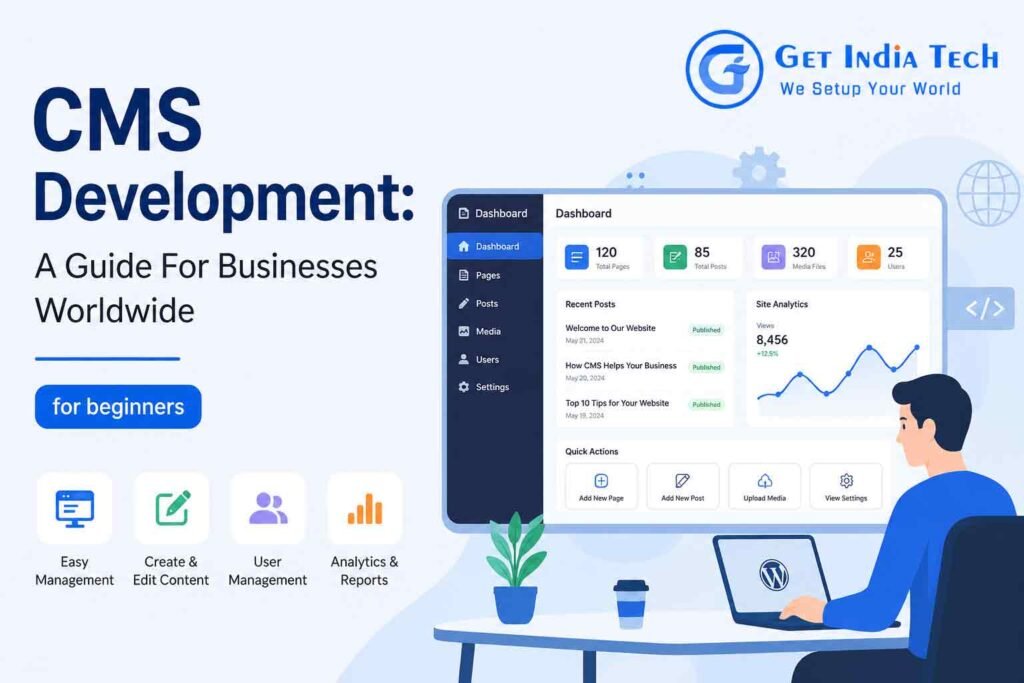
A well-built website needs more than great design—it needs a system that’s easy to manage. CMS Development helps businesses create secure, scalable, and user-friendly websites without relying on technical expertise for everyday updates. Whether you’re a startup, small business, or enterprise, the right CMS gives you full control over your content, improves SEO, and supports long-term growth. In this guide, you’ll learn what CMS Development is, its key benefits, how to choose the right platform, and why it plays a vital role in building a successful online presence.
What is CMS Development?
CMS development is the process of building, customizing, and maintaining websites using a Content Management System (CMS). A CMS allows users to create, edit, organize, and publish digital content without manually editing code for every change.
Instead of rebuilding pages from scratch, businesses can log into an administrative dashboard, update content, upload images, publish blogs, and manage products in minutes.
Popular CMS platforms include:
Professional CMS web development focuses on creating secure, scalable, and user-friendly websites that meet specific business requirements.
Why Businesses Worldwide Choose CMS Development
Companies across different industries rely on CMS development because it improves efficiency and reduces operational costs.
Major benefits include:
- Easy content updates
- Faster website management
- Better collaboration among teams
- Improved SEO capabilities
- Enhanced security
- Mobile responsiveness
- Flexible customization
- Scalability for business growth
For organizations with multiple departments, a CMS makes collaboration easier by allowing different user roles with controlled permissions.
Types of CMS Development
Traditional CMS
Everything from content creation to website display happens within one system.
Examples:
- WordPress
- Joomla
- Drupal
Headless CMS
A Headless CMS separates content management from website presentation.
Popular choices include:
- Strapi
- Contentful
- Sanity
These platforms are ideal for websites, mobile applications, and digital products.
Ecommerce CMS
Designed specifically for online stores.
Examples include:
- Shopify
- Magento
- WooCommerce
CMS Development Process
Professional CMS developer teams usually follow a structured process.
Requirement Analysis
Business goals are identified.
Questions include:
- Who is the target audience?
- What content will be managed?
- What integrations are required?
Platform Selection
Choosing the right CMS depends on:
- Budget
- Security
- Customization
- SEO
- Traffic expectations
UI/UX Design
Designers create layouts that provide excellent user experiences across all devices.
CMS Development
Developers build:
- Themes
- Plugins
- Custom modules
- Database architecture
- API integrations
This stage represents the core of Development website development.
Testing
Testing includes:
- Mobile compatibility
- Browser compatibility
- Security testing
- Performance testing
- SEO testing
Launch
After approval, the website goes live.
Maintenance
Regular updates include:
- Security patches
- Plugin updates
- Content updates
- Backup management
- Performance optimization
Benefits of CMS Development
Businesses experience several long-term advantages.
Better SEO
Modern CMS platforms support:
- Meta tags
- XML sitemaps
- Schema markup
- SEO plugins
- Canonical URLs
Faster Content Publishing
Marketing teams can publish blogs without waiting for developers.
Lower Development Costs
Updates require less developer involvement.
Improved Security
Leading CMS platforms receive frequent security updates.
Easy Scalability
New pages, blogs, products, and services can be added anytime.
Popular CMS Platforms
WordPress
Suitable for:
- Blogs
- Business websites
- Corporate websites
- Ecommerce
Drupal
Ideal for:
- Government
- Universities
- Enterprise organizations
Joomla
Good for:
- Community websites
- Membership platforms
Shopify
Best for ecommerce businesses.
Magento
Designed for large online stores.
How CMS Development Supports SEO
Search visibility depends on both content quality and technical performance. A well-developed CMS helps by providing:
- Clean URL structures
- Fast page loading
- Responsive design
- Internal linking
- Image optimization
- Structured data
- XML sitemaps
- Canonical tags
Combined with high-quality content, these features help improve search engine rankings.
How to Learn CMS Development
If you want to learn CMS , start with the fundamentals of HTML, CSS, JavaScript, and PHP (or the language used by your chosen platform). Practice by building simple websites, exploring themes and plugins, and understanding database management.
For CMS learning, combine official documentation with hands-on projects. As your skills grow, you’ll be able to customize templates, build extensions, and integrate third-party services.
You can also explore CMS online through structured courses, coding communities, and platform-specific tutorials. Continuous practice is the key to becoming a confident CMS developer.
Common Mistakes to Avoid
- Choosing the wrong CMS
- Ignoring security updates
- Installing too many plugins
- Poor hosting selection
- Not optimizing images
- Weak backup strategy
- Ignoring Core Web Vitals
- Publishing duplicate content
Future of CMS Development
Modern CMS platforms continue to evolve with:
- AI-assisted content workflows
- Headless architecture
- API-first development
- Better security
- Cloud hosting
- Faster performance
- Personalization features
Businesses investing in CMS full solutions today are better prepared to adapt to future digital requirements.
Frequently Asked Questions (FAQs)
1. What is CMS development?
CMS development is the process of creating and customizing websites using a Content Management System.
2. Why is CMS development important?
It simplifies website management and reduces maintenance effort.
3. Which CMS is most popular?
WordPress is currently the most widely used CMS.
4. Is CMS development suitable for small businesses?
Yes, it helps small businesses manage websites efficiently.
5. Can I update content without coding?
Yes, most CMS platforms allow non-technical users to edit content.
6. How secure is a CMS website?
A properly maintained CMS can be highly secure.
7. What is a headless CMS?
A headless CMS manages content separately from the front-end presentation.
8. Which CMS is best for ecommerce?
Shopify, Magento, and WooCommerce are popular choices.
9. Does CMS development improve SEO?
Yes, it supports technical SEO features and efficient content management.
10. How long does CMS development take?
Simple projects may take a few weeks, while complex websites can take several months.
11. What skills are needed to become a CMS Development developer?
Knowledge of HTML, CSS, JavaScript, server-side programming, databases, and CMS architecture is valuable.
12. Can a CMS handle high traffic?
Yes, with proper hosting, caching, and optimization.
13. What is the difference between CMS and custom coding?
A CMS provides ready-made content management features, while custom coding builds everything from scratch.
14. Is WordPress good for enterprise websites?
Yes, with proper customization and security practices.
15. How often should a CMS be updated?
Security and feature updates should be applied regularly.
16. What are CMS plugins?
They are extensions that add new features and functionality.
17. Can I migrate from one CMS to another?
Yes, with careful planning and data migration.
18. What hosting is best for a CMS website?
Choose reliable hosting with strong security, backups, and performance features.
19. Is CMS development expensive?
Costs vary based on project scope, customization, and ongoing maintenance.
20. Where can I learn CMS Development?
Official documentation, reputable online courses, developer communities, and practical projects are excellent resources for learning CMS Development.
21. What is CMS Development web development?
It refers to building and customizing websites using CMS platforms while applying web development best practices.
22. What does CMS Development website development include?
It includes planning, design, development, testing, deployment, SEO optimization, and ongoing maintenance.
Our CMS Development Services
At GetIndiaTech, we provide complete CMS solutions tailored to your business goals. Whether you need a new website, a custom business application, or AI-powered automation, our team delivers scalable, secure, and future-ready digital solutions.
Our services include:
- Custom Software Development – Tailored software built to streamline your business operations.
- Website Design & Development – Responsive, high-performance websites designed for growth.
- E-Commerce Development – Secure online stores with powerful features and seamless user experiences.
- Mobile App Development – Native and cross-platform mobile apps for Android and iOS.
- Digital Marketing & SEO – Increase your online visibility and attract more qualified customers.
- AI Automation & WhatsApp AI Solutions – Automate customer support, lead generation, and business workflows with AI.
Looking for a trusted technology partner? Explore our services and discover how GetIndiaTech can help grow your business with modern CMS solutions.