
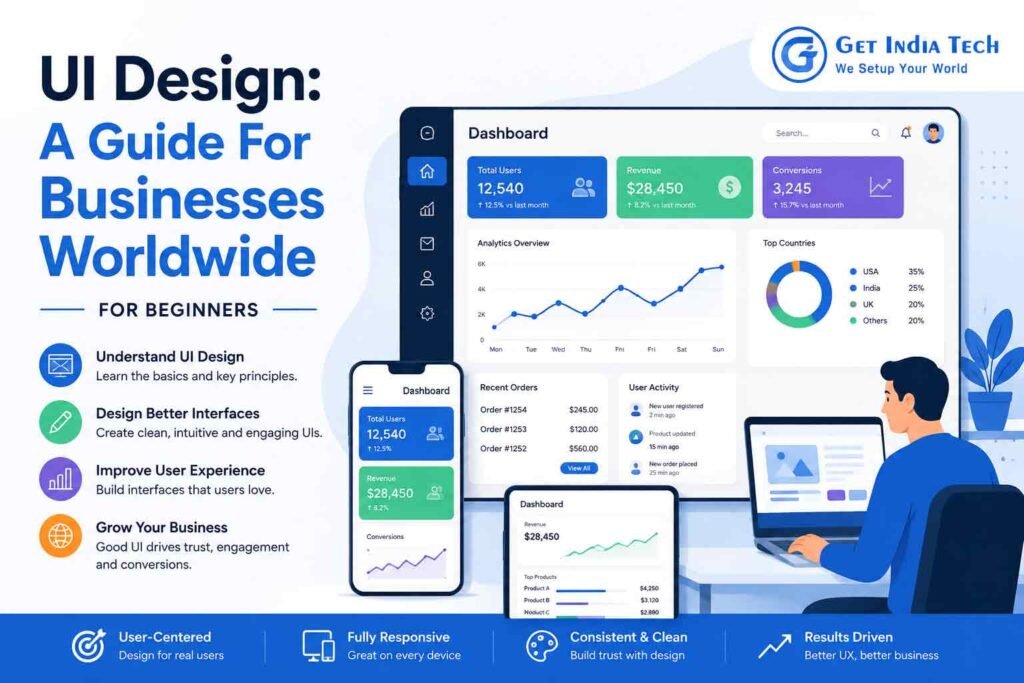
UI Design: A Complete Guide for Businesses Worldwide
UI design plays a critical role in how customers interact with a website, app, or digital product. A clean and intuitive interface builds trust, improves usability, and helps businesses create better digital experiences.
Modern customers decide within seconds whether they want to stay on a website or leave. While speed and content matter, the first thing they notice is the interface. A clean, intuitive, and engaging interface builds trust almost instantly. That is why UI Design has become one of the most valuable investments for businesses across the world.
Whether you run a startup, an eCommerce store, a healthcare platform, a financial service, or a global enterprise, your digital products represent your brand every minute of the day. A thoughtfully designed interface makes every interaction smoother, encourages visitors to explore further, and ultimately increases conversions.
Businesses that prioritize UI Design often see measurable improvements in customer engagement, brand perception, and long-term customer loyalty. It is no longer just about making a website look attractive. Today, UI Design influences how customers experience your brand from the very first click.
In this comprehensive guide, you’ll learn what UI Design is, why it matters for businesses worldwide, how the development process works, common mistakes to avoid, emerging trends, and practical tips to create interfaces your customers genuinely enjoy using.
What is UI Design?
UI Design, or User Interface Design, is the process of designing the visual and interactive elements that users interact with while using a website, web application, mobile app, or software platform.
These elements include:
- Navigation menus
- Buttons
- Icons
- Typography
- Colors
- Forms
- Images
- Cards
- Layouts
- Interactive animations
Every visual element should guide users naturally toward their goals without creating confusion.
A successful UI Design combines creativity with usability. Every design decision should help users complete tasks more efficiently while creating a memorable brand experience.
For businesses, excellent UI Design means customers spend less time figuring out how to use a website and more time taking meaningful actions like purchasing products, booking appointments, requesting quotes, or subscribing to services.
Why UI Design Matters for Businesses Worldwide
Regardless of industry or location, customers expect digital experiences that are simple, attractive, and fast.
A poor interface can make even the best products appear unreliable.
Professional UI Design helps businesses:
Build Trust Immediately
Visitors form opinions within moments of landing on a website. A polished interface communicates professionalism and credibility.
Clean layouts, consistent colors, readable typography, and intuitive navigation reassure visitors that your business is legitimate.
Improve User Experience
Although UI and UX are different, they work together.
While UX focuses on the complete customer journey, UI focuses on how that journey looks and feels.
A thoughtfully planned interface removes unnecessary obstacles, allowing users to complete actions effortlessly.
Increase Conversion Rates
Every button, call-to-action, form, and navigation menu influences customer decisions.
Strategic UI Design helps businesses encourage users to:
- Buy products
- Schedule consultations
- Download resources
- Subscribe to newsletters
- Contact sales teams
Small interface improvements often produce significant increases in conversion rates.
Strengthen Brand Identity
Consistent UI Design reinforces your brand across every digital touchpoint.
Your colors, typography, illustrations, iconography, and layouts create a recognizable identity that customers remember.
Strong branding builds confidence and encourages repeat visits.
Reduce Customer Frustration
Nothing drives visitors away faster than confusing navigation or cluttered layouts.
Effective UI Design minimizes frustration by making important actions easy to find.
The result is higher engagement and lower bounce rates.
Core Principles of Effective UI Design
Professional designers rely on proven design principles instead of trends alone.
Here are the foundations of outstanding interfaces.
Simplicity
The best interfaces remove unnecessary distractions.
Every page should have a clear purpose.
Avoid overwhelming users with too many buttons, colors, or competing messages.
Consistency
Users should encounter familiar patterns throughout the website.
Consistency includes:
- Button styles
- Font hierarchy
- Icons
- Navigation
- Colors
- Spacing
- Form design
Predictable interfaces improve usability.
Visual Hierarchy
Important information should naturally attract attention first.
Designers achieve this through:
- Font sizes
- Color contrast
- White space
- Layout positioning
- Button emphasis
A clear hierarchy guides users toward desired actions.
Accessibility
Great UI Design considers every user.
Accessible interfaces include:
- Readable fonts
- High color contrast
- Keyboard navigation
- Screen reader compatibility
- Descriptive labels
- Alternative image text
Accessibility benefits everyone, not only users with disabilities.
Responsiveness
Customers use smartphones, tablets, laptops, and desktop computers throughout the day.
Responsive UI Design ensures every interface adapts seamlessly across different screen sizes.
The UI Design Development Process
Creating an effective interface requires planning, collaboration, testing, and continuous improvement.
A typical UI Design development process includes several important stages.
1. Business Discovery
Before creating layouts, designers understand:
- Business goals
- Target audience
- Competitor landscape
- Customer pain points
- Brand identity
Without discovery, design decisions become guesswork.
2. User Research
Research helps designers understand real customer behavior.
Methods include:
- Surveys
- Customer interviews
- Analytics
- Heatmaps
- User feedback
- Market research
The better the research, the stronger the final design.
3. Wireframing
Wireframes represent the basic structure of each page.
At this stage, designers focus on:
- Navigation
- Content placement
- User flow
- Functional layout
Visual styling comes later.
4. Visual Interface Design
This is where branding comes to life.
Designers create:
- Color systems
- Typography
- Buttons
- Icons
- Cards
- Components
- Interactive elements
- Design systems
The objective is to create a consistent experience throughout the product.
5. Prototyping
Interactive prototypes simulate how users will experience the interface before development begins
Businesses can identify usability issues early, saving both time and development costs.
6. UI Design Web Development Collaboration
After approval, designers work closely with developers.
A skilled UI Design developer translates visual concepts into responsive, high-performing interfaces using modern web technologies.
Strong collaboration ensures the final product matches the approved design as closely as possible.
UI Design for Different Business Types
Every industry has unique design priorities.
eCommerce Businesses
An online store should prioritize:
- Product discovery
- Fast checkout
- Clear product images
- Trust badges
- Mobile responsiveness
- Search functionality
Healthcare Organizations
Healthcare interfaces should emphasize:
- Privacy
- Simplicity
- Appointment booking
- Patient portals
- Accessibility
Patients appreciate clear navigation during important moments.
Financial Services
Banking and financial platforms require:
- Security indicators
- Easy dashboards
- Simple transactions
- Clear financial information
- Minimal distractions
Trust is especially important in financial UI Design.
UI Design Website Development Best Practices
Creating an attractive interface is only one part of the journey. Successful businesses combine aesthetics with functionality to deliver an experience that keeps visitors engaged.
Keep Navigation Simple
Visitors should be able to find important pages without thinking twice. Use clear menu labels, logical page structures, and a consistent navigation bar across the website.
Prioritize Mobile Users
More than half of web traffic now comes from mobile devices. Responsive UI Design website development ensures every page looks and functions perfectly on smartphones, tablets, and desktops.
Maintain Visual Consistency
Every page should follow the same design language. Consistent colors, typography, icons, and buttons help users feel comfortable as they move through your website.
Focus on Readability
Readable typography improves the user experience. Choose clear fonts, appropriate font sizes, and sufficient spacing between lines and sections.
Make Calls-to-Action Stand Out
Whether you want visitors to contact your team, request a quote, or make a purchase, your call-to-action buttons should be easy to identify without overwhelming the page.
The Role of a UI Design Developer
A talented UI Design developer bridges the gap between design concepts and functional digital products.
Their responsibilities often include:
- Building responsive user interfaces
- Translating design files into code
- Optimizing website performance
- Ensuring browser compatibility
- Implementing animations and interactions
- Maintaining design consistency
- Collaborating with designers and backend developers
A close partnership between designers and developers results in a smoother development process and a polished final product.
UI Design and Web Development
Although people often use these terms together, they serve different purposes.
| UI Design | Web Development |
| Focuses on appearance | Focuses on functionality |
| Creates layouts | Builds website features |
| Defines colors and typography | Writes front-end and back-end code |
| Improves usability | Ensures performance |
| Designs interactions | Implements interactions |
Successful UI Design web development combines creative design with reliable coding to produce websites that are both attractive and high-performing.
Popular UI Design Online Tools
Today’s professionals rely on cloud-based platforms that simplify collaboration and speed up the design process.
Popular UI Design online tools include:
These platforms enable teams to collaborate in real time, share feedback, and create interactive prototypes.
How to Learn UI Design
If you’re interested in expanding your skills or building an in-house design team, there are many effective ways to learn UI Design.
Start with Design Fundamentals
Before using advanced software, understand concepts such as:
- Color theory
- Typography
- Layout
- Contrast
- Spacing
- Visual hierarchy
Practice Daily
The best way to improve is by designing consistently. Redesign existing websites, create landing pages, or build mock projects to strengthen your skills.
Explore Design Systems
Learning how design systems work helps maintain consistency across large websites and applications.
Build a Portfolio
Employers and clients value practical work. Showcase projects that demonstrate your ability to solve real business problems through thoughtful interface design.
Best Resources for UI Design Learning
Continuous UI Design learning is essential because design trends and technologies evolve quickly.
Recommended resources include:
- Official Figma documentation
- Google Material Design Guidelines
- Apple’s Human Interface Guidelines
- Nielsen Norman Group articles
- Interaction Design Foundation
- Coursera
- Udemy
- LinkedIn Learning
Reading industry blogs and analyzing successful websites also helps you stay informed.
Common UI Design Mistakes Businesses Should Avoid
Even experienced teams can overlook important details. Avoiding these mistakes can improve both usability and customer satisfaction.
Overcrowded Interfaces
Too many elements competing for attention make it difficult for visitors to focus on what matters most.
Inconsistent Branding
Using different colors, fonts, or button styles across pages weakens your brand identity.
Ignoring Mobile Optimization
A desktop-only approach can lead to poor experiences for mobile users and lower conversion rates.
Weak Visual Hierarchy
If every element looks equally important, users may struggle to identify key actions.
Poor Accessibility
Designs should accommodate users with different abilities by following accessibility best practices.
Emerging Trends in UI Design
Businesses that stay informed about design trends can deliver modern and engaging digital experiences.
Current trends include:
- Minimalist layouts
- Micro-interactions
- Dark mode support
- Glassmorphism
- Neumorphism (used selectively)
- AI-assisted personalization
- Voice-enabled interfaces
- Accessible-first design
- Motion design with purpose
- Responsive design for foldable devices
Rather than following every trend, choose approaches that align with your audience and business objectives.
How to Choose the Right UI Design Partner
Selecting the right design agency or freelancer is a critical decision. Look for a partner who:
- Has a strong portfolio
- Understands your industry
- Follows user-centered design practices
- Communicates clearly
- Provides ongoing support
- Collaborates effectively with developers
- Prioritizes accessibility and performance
A reliable partner focuses on solving business challenges, not just creating visually appealing screens.
About the Author
This guide was prepared by a web design and digital strategy specialist with practical experience in UI Design, website development, and user-centered digital experiences. The insights shared in this article are based on established design principles, industry best practices, and widely accepted usability standards used by businesses across different industries.
Every recommendation has been written to help business owners, entrepreneurs, designers, and developers make informed decisions when planning or improving digital products.
Why Businesses Should Invest in Professional UI Design
Many businesses consider UI Design only when launching a new website. In reality, it should be viewed as an ongoing investment rather than a one-time project.
Professional UI Design can help businesses:
- Increase visitor engagement
- Improve customer satisfaction
- Build long-term trust
- Strengthen brand recognition
- Reduce customer support requests
- Increase conversion rates
- Improve mobile usability
- Support accessibility compliance
- Create a competitive advantage
- Enhance overall business credibility
When combined with quality content, technical SEO, and fast website performance, an effective interface becomes one of the strongest assets for sustainable online growth.
UI Design Checklist Before Launching Your Website
Before publishing your website, review the following checklist to ensure your interface is ready for users.
Design Checklist
- Consistent branding throughout the website
- Responsive design for all screen sizes
- Clear navigation menu
- Readable typography
- High-quality visuals
- Accessible color contrast
- Descriptive button labels
- Logical page hierarchy
- Easy-to-complete forms
- Consistent spacing and alignment
Performance Checklist
- Optimized WebP images
- Lazy loading enabled
- Compressed CSS and JavaScript
- Fast page loading speed
- Mobile-friendly layout
- Browser compatibility testing
- HTTPS enabled
- Working internal links
- No broken images
- Optimized Core Web Vitals
Article Summary
Here’s a quick recap of the key points covered in this guide:
- Understanding what UI Design is
- Benefits of UI Design for businesses
- Core UI Design principles
- The UI Design development process
- Website development best practices
- The role of a UI Design developer
- Popular online UI Design tools
- How to learn UI Design
- Resources for UI Design learning
- Common mistakes to avoid
- Emerging UI Design trends
- Choosing the right design partner
- Image SEO best practices
- Frequently asked questions
Frequently Asked Questions (FAQs)
1. What is UI Design?
UI Design is the process of designing the visual interface through which users interact with websites, applications, and digital products.
2. Why is UI Design important for businesses?
It improves usability, builds trust, strengthens branding, and can increase conversions.
3. What is the difference between UI and UX Design?
UI focuses on visual and interactive elements, while UX focuses on the overall user experience and journey.
4. What does a UI Design developer do?
A UI Design developer converts design concepts into responsive, interactive, and functional interfaces.
5. What tools are commonly used for UI Design?
Popular tools include Figma, Adobe XD, Sketch, Framer, and Penpot.
6. Can small businesses benefit from UI Design?
Yes. A professional interface helps businesses of all sizes attract and retain customers.
7. How does UI Design affect SEO?
Better usability, faster loading pages, mobile responsiveness, and lower bounce rates can contribute to stronger SEO performance.
8. What makes a good UI Design?
Simplicity, consistency, accessibility, responsiveness, and clear visual hierarchy.
9. Is UI Design only for websites?
No. It also applies to mobile apps, software, kiosks, wearable devices, and other digital interfaces.
10. How long does a UI Design project take?
Timelines vary depending on project size, complexity, and feedback cycles.
11. Can UI Design improve conversion rates?
Yes. Clear navigation and effective calls-to-action encourage users to complete desired actions.
12. What is responsive UI Design?
It ensures interfaces adapt seamlessly to different screen sizes and devices.
13. How can I learn UI Design?
Study design fundamentals, practice regularly, use design tools, and build a portfolio.
14. Are online UI Design courses worth taking?
Many online courses provide structured learning and practical exercises that help build real-world skills.
15. What industries need UI Design?
Almost every industry, including healthcare, finance, education, retail, travel, and technology.
16. What are the latest UI Design trends?
Minimalism, accessibility-first design, purposeful motion, AI-assisted personalization, and responsive experiences are among the current trends.
17. How often should a business update its UI Design?
Review your interface regularly and consider significant updates every few years or whenever user needs and technology change substantially.
18. How does accessibility improve UI Design?
Accessible interfaces are easier to use for a wider audience and support compliance with recognized standards.
19. Should businesses hire a UI Design agency or freelancer?
The best choice depends on project scope, budget, and the level of ongoing support required.
20. What should businesses look for in a UI Design portfolio?
Look for projects that demonstrate problem-solving, usability, responsive design, consistency, and measurable business outcomes.
21. Is UI Design important for eCommerce websites?
Absolutely. An intuitive shopping experience can improve customer satisfaction, reduce cart abandonment, and increase sales.
22. How does UI Design support long-term business growth?
A user-friendly interface encourages repeat visits, builds customer loyalty, enhances brand perception, and creates a stronger foundation for future digital expansion.
Conclusion
Investing in UI Design helps businesses create intuitive, user-friendly experiences that build trust, improve engagement, increase conversions, and support long-term growth.
Explore Our Digital Design & Development Services
Professional UI Design delivers the best results when it is supported by reliable development and digital solutions. In addition, businesses can strengthen their online presence by combining user-focused design with the right technology and marketing strategy.
At GetIndiaTech, we provide end-to-end digital solutions to help businesses build, improve, and grow their digital products.
- Website Design & Development – Create responsive, modern websites designed around your business goals and customer needs.
- Mobile App Development – Build user-friendly Android and iOS applications with seamless digital experiences.
- Custom Software Development – Develop scalable software solutions tailored to your specific business requirements.
- Digital Marketing & SEO – Improve online visibility, attract qualified traffic, and support long-term digital growth.
Moreover, combining professional UI Design with development, SEO, and digital technology can create a stronger and more consistent customer experience.
Ready to improve your digital experience? Contact our team to discuss your project.